


You Own the Bucket… But Someone Else Has the Keys?

The Editors

4 Minutes
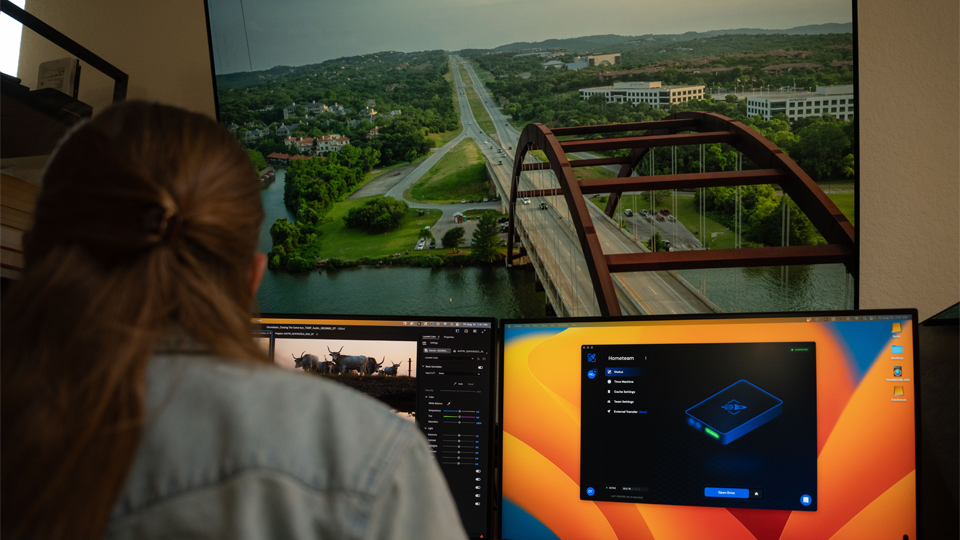
Your media lives in object storage.
So why do you need someone else's software to open it?
If your media already lives in object storage, you've done the hard part. You chose the provider, built the buckets, wrote the scripts and the lifecycle rules. On paper, the data is yours.
But the bucket itself doesn't offer global access for your creative team. Editors, VFX artists, and colorists don't browse object storage—they open media within a file system. Object storage is durable, cheap, and endlessly scalable, and on its own it's just part of the workflow solution.
Closing that gap has always taken a file streaming layer, and until now that layer came with a tradeoff: you had to duplicate data and migrate into a proprietary format to make it accessible. Your bucket still had your name on it, but the data inside it was no longer readable by anything except the file streaming vendor's client. Essentially, you owned the house but someone else had the keys.
S3 Native File Streaming ends the need to compromise. Suite reads and writes standard S3 objects directly from the S3-compatible object storage you've already set up. There's no migration and no second copy—the objects in your bucket are the objects Suite works reads/writes to. Your media stays media: readable by Suite, readable by your scripts, readable by anything that speaks S3. It also eliminates any worry about maintaining control of your data.
Put simply: Keep the bucket. Keep the keys. Just add Suite.
Why choose Suite?
Because you get file streaming and shared access at production scale. Suite's S3 Native File Streaming reads and writes data as standard objects against the bucket you already have. No migration phase, no duplicate copy, no re-ingest. The bucket remains the system of record and Suite streams from it.
Using Suite, there is only one source of truth—your existing S3-compatible object storage bucket. This allows work to converge from both directions: An automation writes proxies to a prefix and they appear in the artist's drive. An editor delivers a master and the next scripted step picks it up from the same key it was written to. The pipeline and the people operate on the same objects, rather than on copies that have to be reconciled.
One File = One Object
On Suite, one file equals one object, carrying the filename your team assigned, within the structure you already built. Interview-A.mov in Suite is Interview-A.mov in the bucket.
That sounds like a small detail, but it's the key that lets you maintain full owership of your data. Everything already pointed at your bucket keeps running without delay:
- Scripts that list, copy, sync, or verify objects
- A MAM or DAM indexing and generating proxies directly from the bucket
- S3 event notifications firing, so serverless jobs still trigger
- Versioning, Object Lock, and lifecycle policies applying per asset
With S3 Native File Streaming, tools don't go through Suite to reach the data. If a tool, a custom workflow, or an event speaks S3, it works with Suite right out of the box.
The best part? Your workflow never changes
Your existing IAM roles, bucket policies, and regional requirements apply unchanged, because the bucket hasn't moved and its permission model hasn't been altered. Suite operates with SSO, SAML, SOC 2 compliance, and Trusted Partner Network certification, meeting the requirements of today's media teams. That's the difference between a vendor that sits on top of your storage and one that stands between you and the data. Suite is just another application your team authorizes against your bucket—not a custodian of what's inside it.
Learn more about S3 Native File Streaming


You may also like



Join our community
Subscribe below.
Newsletter

An error has occurred somewhere and it is not possible to submit the form. Please try again later or contact us.

Four reasons to subscribe to our newsletter


